Blog
Occasional thoughts and updates.
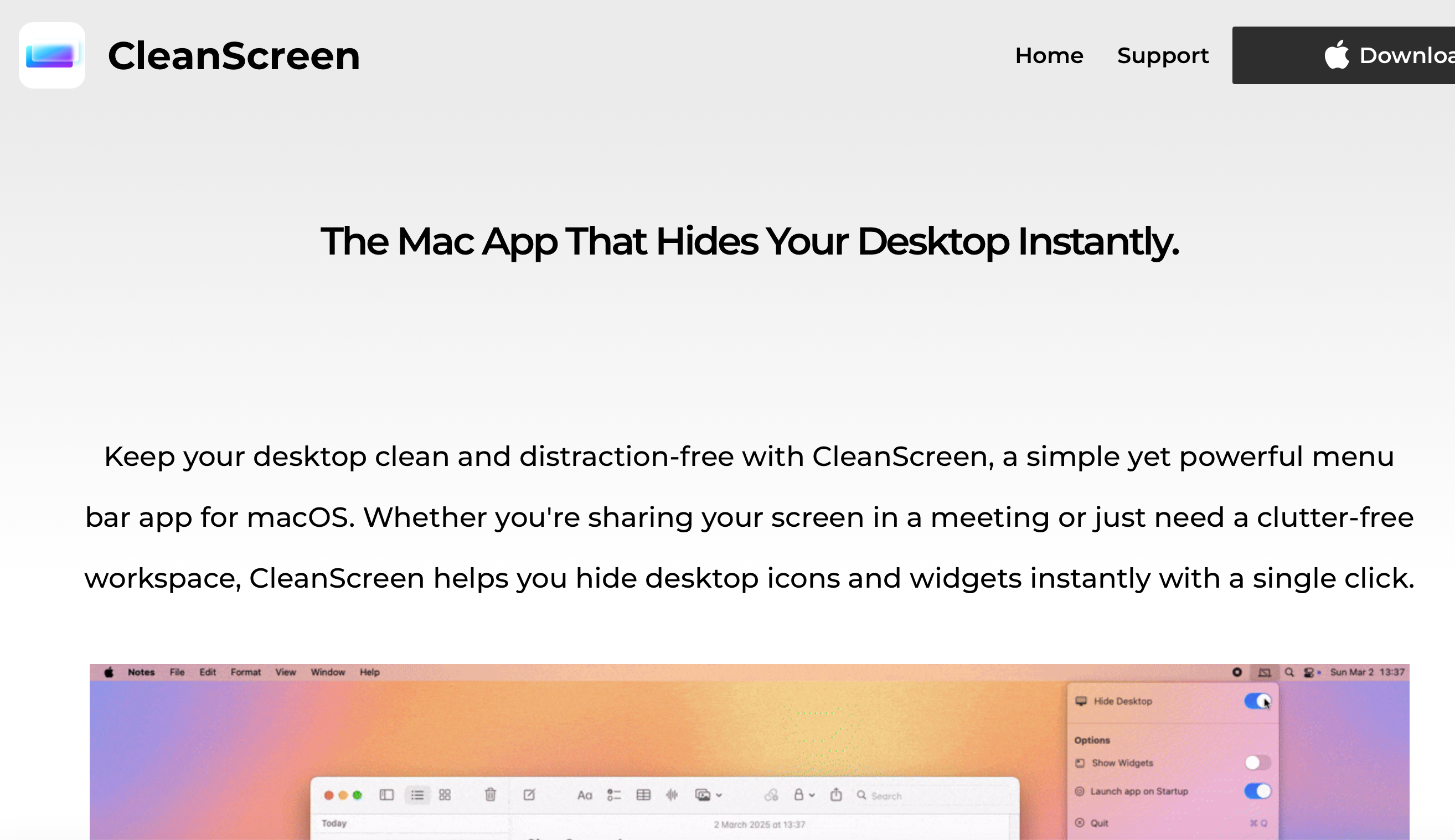
Hide your Mac desktop with a simple menu shortcut

Finding free footage to include in your iMovie projects is easy, but finding footage that students are actually allowed to use, is free, in HD quality and doesn’t require registration can be another story. Here is a list of websites that I regularly tell my students to use to download quality video footage from.
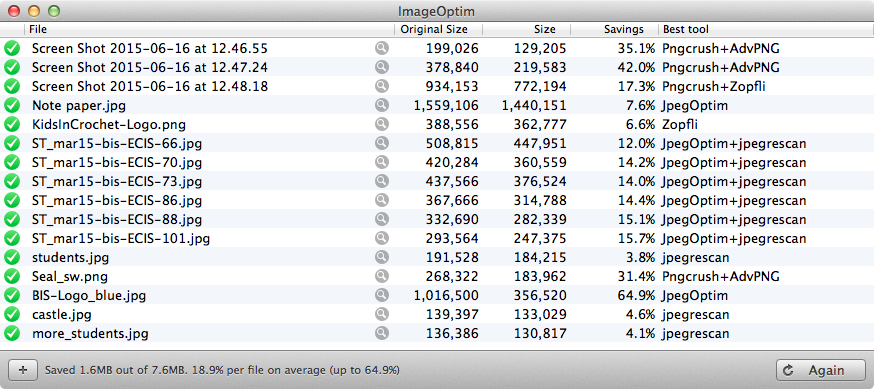
ImageOptim is a great piece of free software (open-source, and free) to reduce the amount of space an image takes up on a hard drive, without any loss in quality.

As a teacher, it is likely that you will have to put together some sort of slideshow at some point in your career. Sure there are lots of pieces of software that will create great slideshows for you (iPhoto, etc.). But what if you have a bunch of photos on your drive somewhere and 20 seconds to make a slideshow? You could use Keynote. Here is how.

In this post, I share some of the review work I have done with my students.

While the Digital Ambassadors programme offers plenty to keep students busy, it is a good idea to offer ad-hoc projects, to keep up the interest and also to raise the programme’s profile. In this post, I share some examples of successful projects.

Once the activities offered in Digital Ambassadors programme have been defined, it is time to invite students to participate. In this post, I share the most effective strategies I have used to ensure maximum participation and retention in the programme.

Once a review of policy documents and curriculum has been conducted, as well as interviews and surveys, it becomes pretty clear what a school needs the most, when, and in what format. At this stage, it is possible to put together a coherent Digital Ambassadors programme. In this post, I share the programme that I have put together.

Every school has experts in multiple areas, and technology is no exception. For every expert there will be a number of people who don’t feel so comfortable using technology. It is important to gauge the school’s overall level of expertise, and where pockets of expertise exist. This will help shape the Digital Ambassadors programme. In this post, I share some techniques to make that happen.

Before putting together a Digital Ambassadors programme, it is important to find out what specific needs a school may have, whether there are any particular of strengths and identify the main areas for improvement in terms of technology.

Enabling students to become true technology leaders and change agents is one of the most rewarding projects I have undertaken in my teaching career at the high school/secondary school level. In this of seven posts, I explain how I got the Digital Ambassadors programme off the ground, and how I have nurtured it over the past two years.

The ECIS Tech Conference 2015 was a real success, both in terms of turnout and delegate satisfaction. As organisers, we were thrilled to get great feedback during the entire event. In this post, I share the feedback we received from delegates, as well as some interesting facts about the conference.

Although Mac laptops can be a fantastic tool for students, they can also become a distraction in a classroom environment. In this post, I share 8 tried and tested ways to help your students remain focused while using their Mac laptop.

Arguably a lot of what is being covered in presentations during a conference could be learnt using other means, such as video conferencing, webinars or even by reading books or watching videos online. However, ‘physical’ or ‘real-world’ conferences offer fantastic networking opportunities. As conference organisers, we recognised the need for delegates to meet like-minded professionals, or build on their existing networks. In this post, I share our social events and networking opportunities.

After hundreds of hours of preparation, the 3 organisers and 15 student helpers were ready to welcome delegates for the ECIS 2015 Tech pre-conference on Friday 20th March 2015. Even though we were well prepared, there were plenty of unexpected surprises in store for us. Here is how we organised our time, and dealt with last-minute problems.
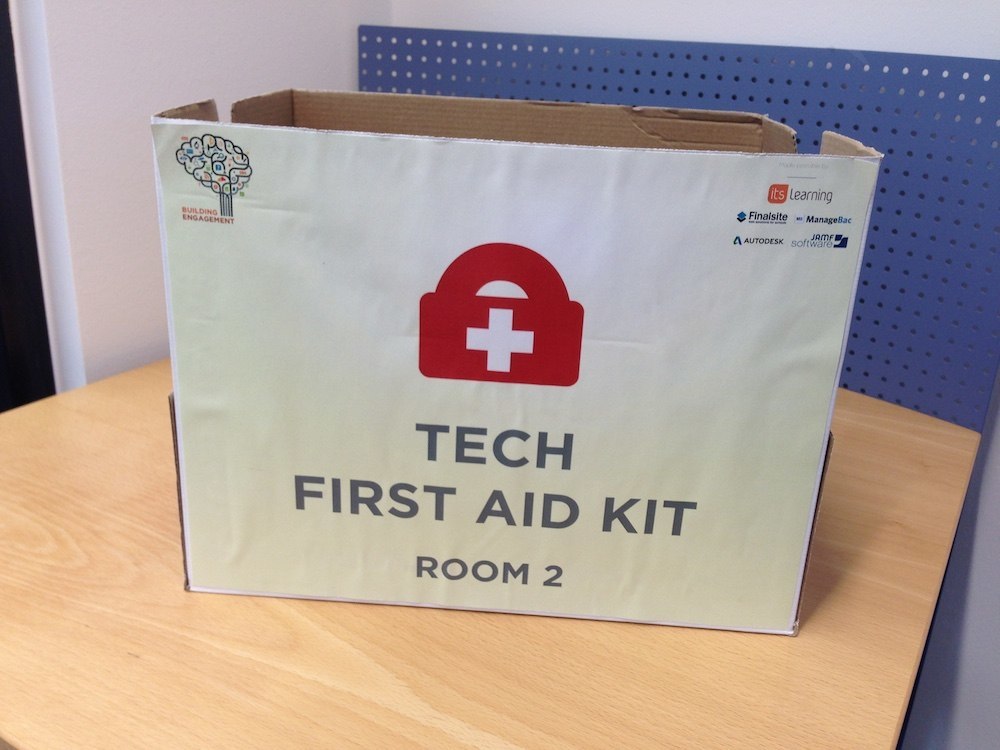
With 24 hours to go we prepared all of the presentations rooms ready for action. In this post, I share the steps we took to ensure we got 100% satisfaction from our presenters.

With the event fast approaching, we dedicated the week prior the conference to preparing the school to welcome over 220 delegates. In this post I share everything we did to ensure the venue was ready for the ECIS Tech Conference 2015. Our student helpers worked very hard and did most of the manual, or time consuming labour.
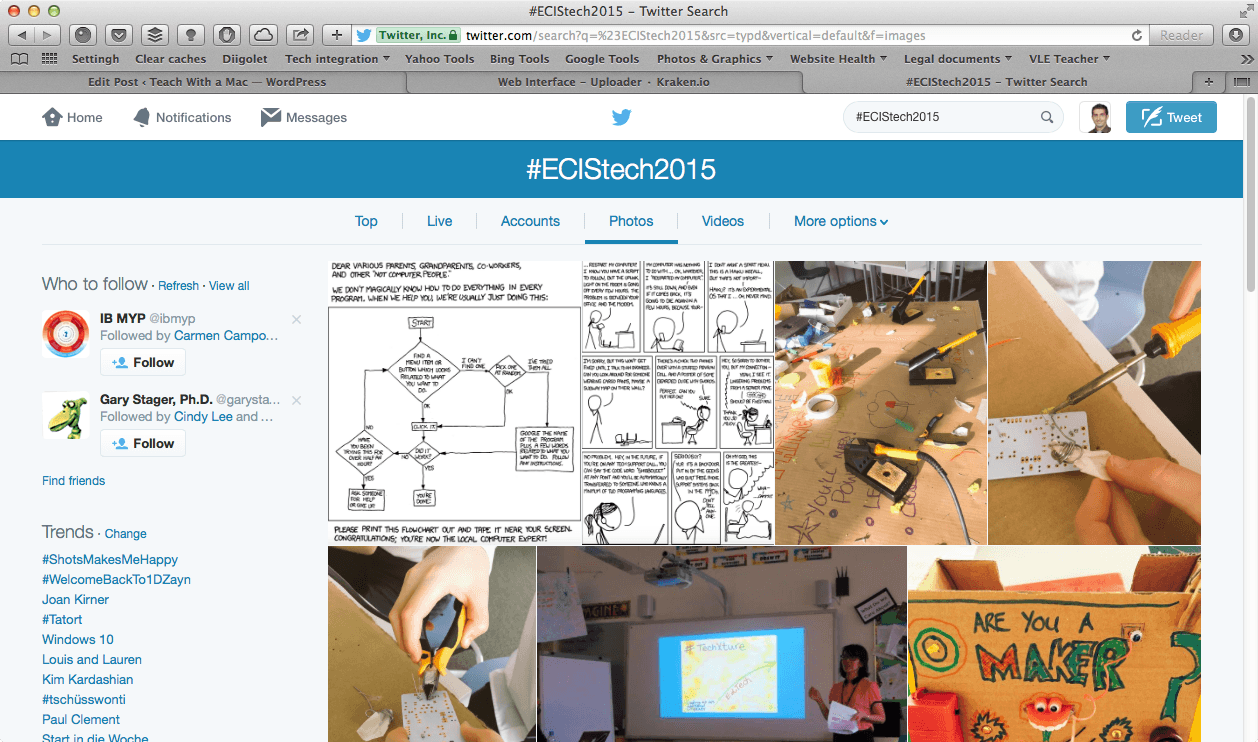
As stated in a previous post, organising a conference carries a financial risk, as a specific number of paying delegates must be reached to achieve break-even. Advertising the event is key to ensure a maximum number of delegates sign up. Here are some of the strategies we used to advertise the event, without spending a penny.
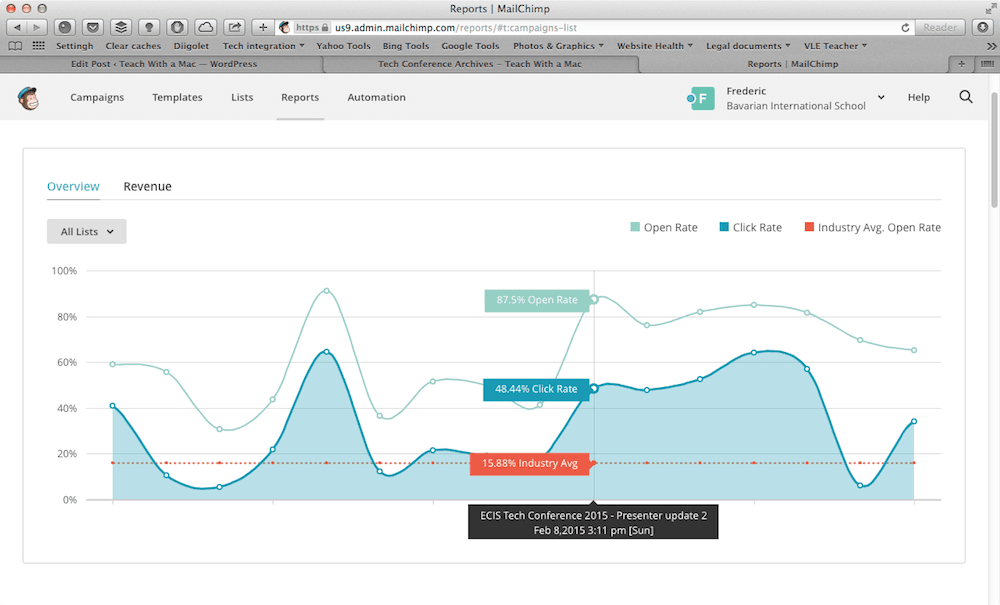
When planning the conference, we identified key events that would need to be communicated to our potential delegates. Instead of relying on our internal email system, we decided to use MailChimp as our mass email communication tool. In this post I briefly explain why we decided to use such a tool, who we decided to email, when and why.
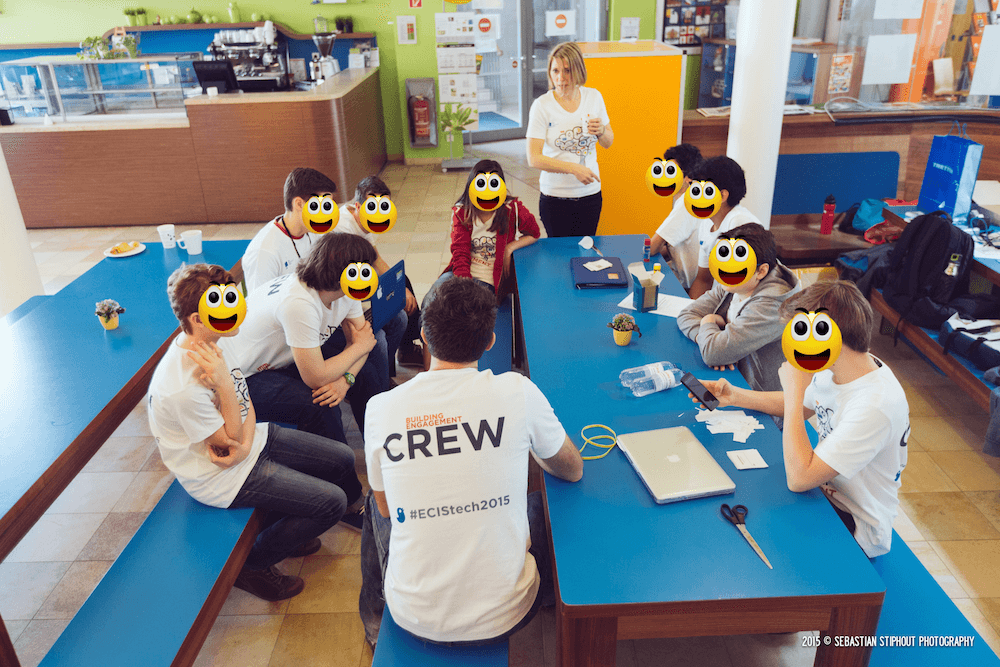
As mentioned in a previous post, organising a conference can be an extremely time consuming process, and the more hands on deck the better. In this post I share some of the strategies and documents we used to employ a group of 15 dedicated students to help organise and run the conference. Without their help, organising the conference would have been impossible.

Securing sponsorship for an event can bring a lot more than monetary benefits. It is important to come up with attractive packages for the right price. This post outlines the process we followed to secure sponsorship and invite exhibitors to the ECIS Technology conference 2015.
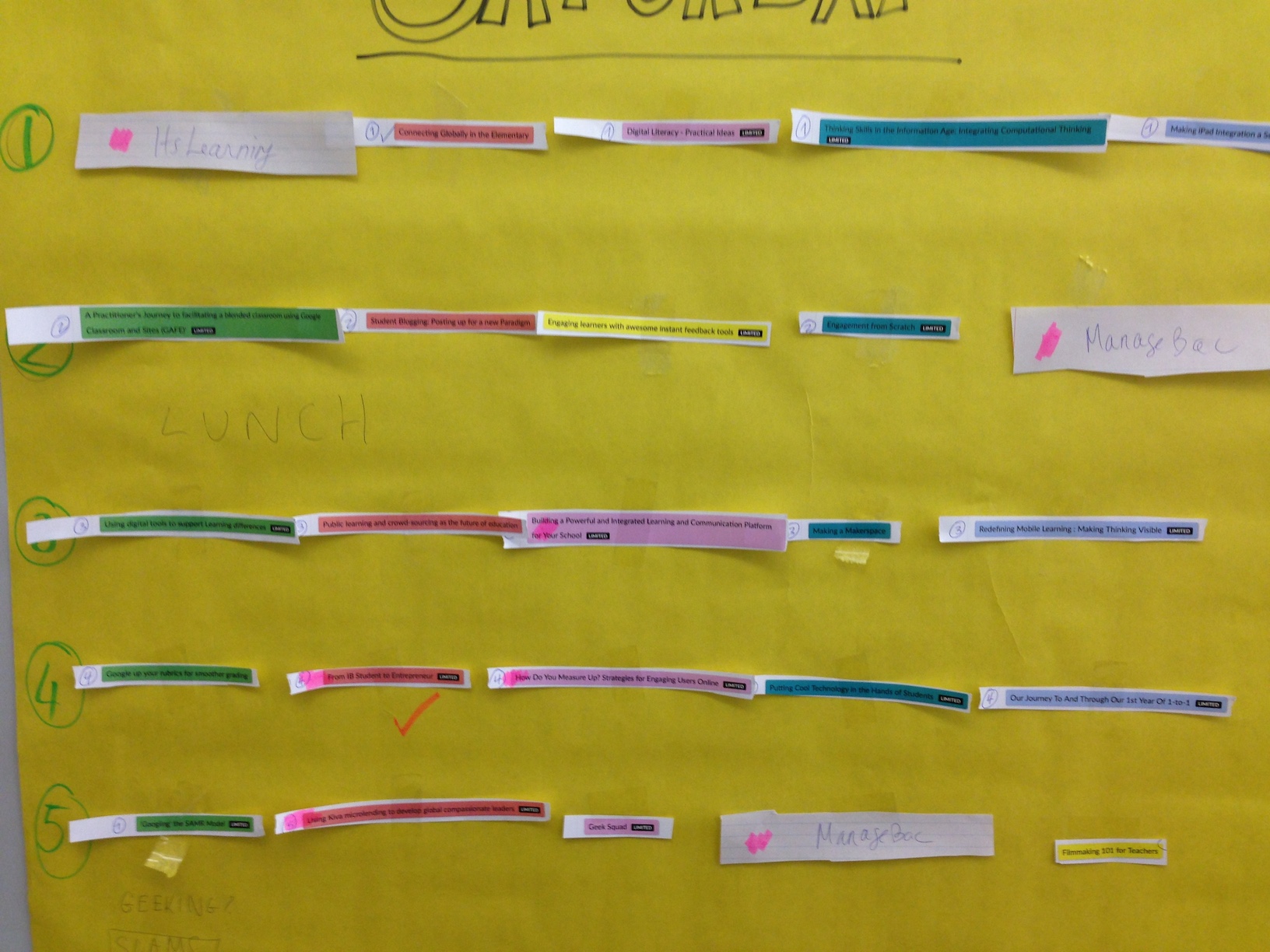
Putting together a quality programme of presentations and workshops is a crucial piece of organising any conference. This can be a challenging part of the process.

This post does not focus on the tools available to build a website for a conference, but rather on the information that can be made available at each planning stage of a conference.
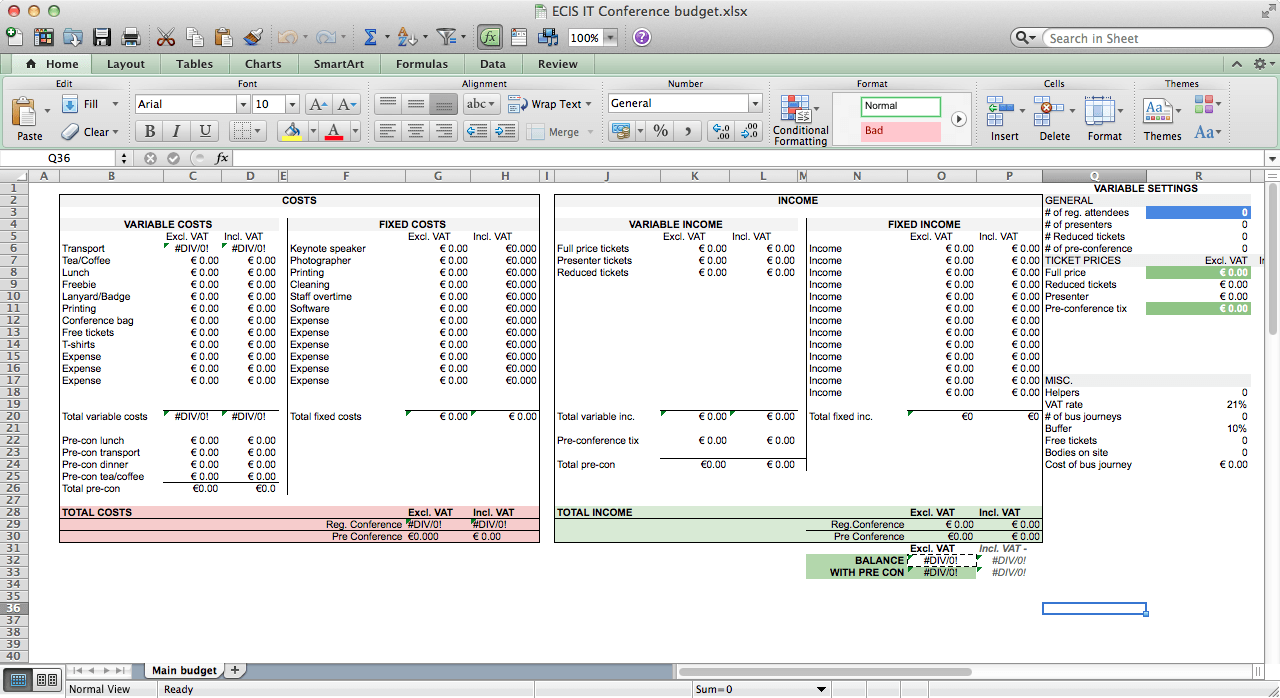
This post is all about making sure that organising a conference won’t run a loss. It can be a tricky exercise to ensure all possible are covered in a preliminary budget so here is a list for you to use as a starting point.

Organising a Tech Conference – 3. Feasibility study

I’ve wanted to organise a large scale event for teachers for many years, but the conditions were never quite right. That is until I joined Bavarian International School. In this post I share 7 benefits of organising a conference at your school.

Organising a Tech Conference – 1. An organiser’s diary

This post is mainly aimed at people who attended my workshop at the ECIS general conference in Nice, on Saturday 21st November 2014. You should still be able to pick up a few things even if you didn’t attend the session.
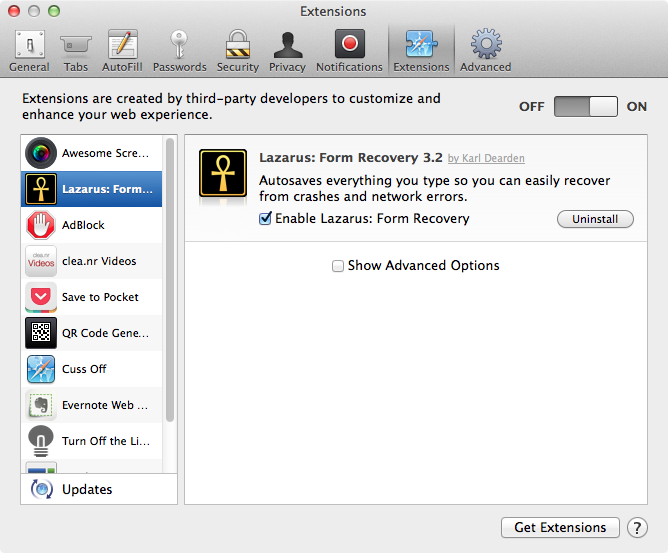
In this post, I share 11 really useful Safari extensions for teachers and students.

Chances are that you landed on this page because you feel you spend too long writing student reports. In this post, I share 5 ways to use your Mac to have your reports done faster than ever before.

Teachers can save a lot of time using keyboard shortcuts. In this post, I share 31 Mac keyboard shortcuts specifically for teachers. Become a confident user of your Mac in one month, one shortcut per day.

This ‘Speed up Moodle’ series of 4 posts will teach you step-by-step how to optimise your Linux server for Moodle. It is aimed at beginner server administrators. If you find any mistakes or inconsistencies, please comment and I’ll rectify ASAP. This fourth post is about enabling APC, an opcode cache on your server, probably the easiest and most efficient step to increase server performance.

This post is part of ‘Speed up Moodle’, a 4 post series showing ways to optimize a Moodle server.By default, Apache loads modules that might not be needed for your Web server. In this third post, I show you how to disable the unnecessary Apache modules to run a bare bones Moodle installation.

This post is part of ‘Speed up Moodle’, a four-post series showing ways to optimize a Moodle server. Moodle is a database driven application, and the faster the database, the faster your Moodle installation will be. In the second post, I show you a simple way to increase your Moodle database performance, focusing on MySQL. Do keep in mind that fine tuning a database is a vast topic, and entire books have been dedicated to it. In this post, I only focus on the part that will likely show the most improvement.
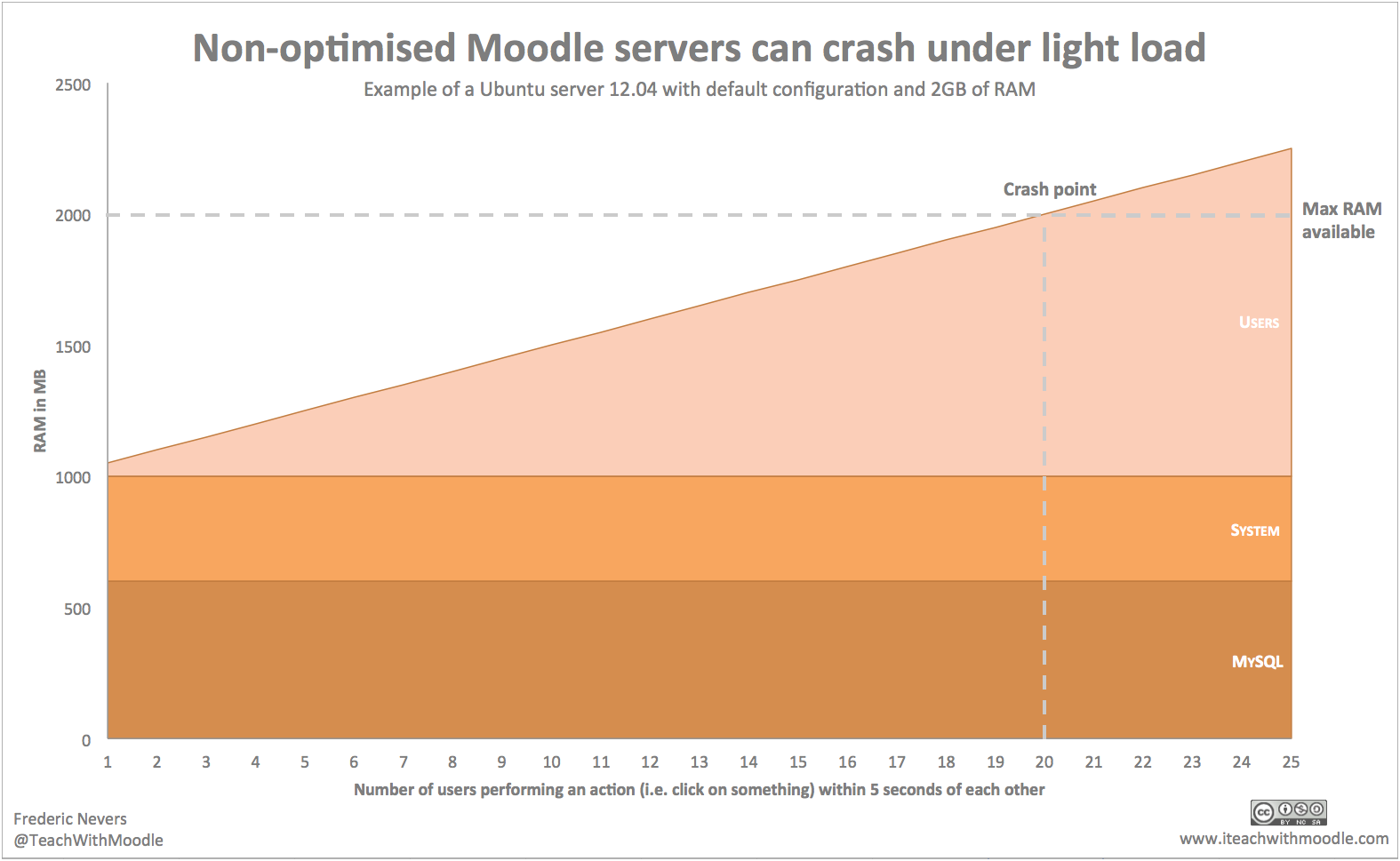
This ‘Speed up Moodle’ series of 4 posts will teach you step-by-step how to optimise your Linux server for Moodle. It is aimed at beginner server administrators. If you find any mistakes or inconsistencies, please comment and I’ll rectify ASAP. This first post is about optimising Apache for Moodle. Check out the other posts on optimising MySQL, installation of an opcode cache such as APC and other ways to optimise your Moodle server. Please see ‘Assumptions’ and ‘Technical notes’ at the bottom of this post.
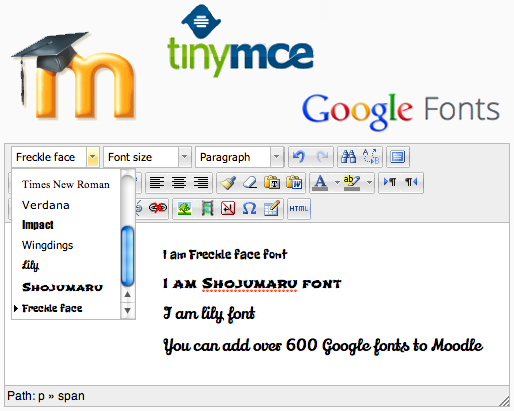
Google has made it easy to use great looking fonts on websites, providing over 600 cross-browser fonts to date, for free. In this short post, you will learn how to add Google fonts to the default Moodle HTML editor, TinyMCE.

Moodle 2.5 was released a few weeks ago, allowing for Open Badges integration. Quite a few readers have asked me whether there remains a point of using labels for badges, now that Open Badges can easily be integrated with their Moodle courses. In this post, I try and outline why I have been gamifying my courses with labels, and why using labels for badges still makes sense for some users.

Whilst instructional designers agree that using Moodle as a file repository isn’t a good idea, sharing files using Moodle is still necessary in a lot of scenarios. In this blog post, I explore 10 simple ways to keep your file sizes as small as possible, before uploading them to Moodle.

Spoiler alert – this week I give away freebies! This week has been very quiet on the ‘gamified vs. non-gamified Moodle course experiment‘ front, as mystudents were off-timetable for a whole-school Inter-Disciplinary Unit for most of the week. I have been asked a few times to share my entire course for others to download, but I won’t be able to do that, mainly for copyright reasons. Instead I have decided to share individual resources & activities that you can use in your Moodle 2.x course (2.1 or above), namely a question bank, quizzes, a lesson and a database template.

Week 9 of experimenting with gamified and non-gamified Moodle courses. Today marks the beginning of iMoot 2013, the Worldwide e-conference on all things Moodle, and this year there are a few presentations on the gamification of Moodle. In this post, I list all of the sessions that ‘gamifiers’ might be interested in (all session times in Perth time, Australia, or UTC+8).

I have been sick for most of this week so no massive updates. I will soon be asking my students for feedback on the gamified/non-gamified Moodle courses. Are there any questions you think I should ask? Please write your questions using the Google Moderator series embedded below.

It is possible to use Google Analytics to report on users’ activity on a Moodle site. This week I have decided to take a closer look at this option to compare my gamified Moodle course against the non-gamified version. This is week 7 of the ‘what difference does it make to gamify a Moodle course?‘ experiment.

Week 6 of my experiment working out to what extent gamifying Moodle courses increase student engagement with the platform. This week’s post is aimed at Moodlers who enjoy the technical side of Moodle. In this post I share some MySQL queries on activity completion that go beyond the activity completion.

We’re fast approaching the half-way mark of my ‘Gamified vs non-gamified‘ Moodle course experiment. At week 5, students have met their first interim deadline of completing the ‘Investigate’ part of the course. This week I am comparing activity completion rates.

Week 4 of the ‘Gamify or not gamify‘ a Moodle course experiment. In week 1, I looked at early statistics and wondered what students were actually up to on the course, how they use it, what they click on the most, etc. This week, I am taking a closer look at the students’ activity around the course so far.

Week 3 of the ‘Gamify or not gamify‘ a Moodle course experiment. This experiment is getting a lot of attention, a lot more than I thought it would, and many teachers have asked me how they can gamify their Moodle courses. For this week’s post I have created a screencast showing the steps I took to gamify my course. The video lasts just under 20 minutes and is best viewed full screen.

Week 2 of my ‘gamified vs. non-gamified‘ Moodle course and school has been closed since Wednesday 27th March due to the Easter break. Since there hasn’t been much activity on the course, and I have had a few requests asking me what modules I use in the course, this week I’ll focus on the course structure and how I ‘gamified’ it.

In this series of 11 posts, I compare two classes. One with students who use a gamified version of a Moodle course, and the other with students who use a regular Moodle course.

In Moodle, scales are used as a way to evaluate students’ performance. Students and teachers can use scales in forums, databases & workshops as well as assignments. In this short post I share HTML symbols to make your Moodle scales look better.
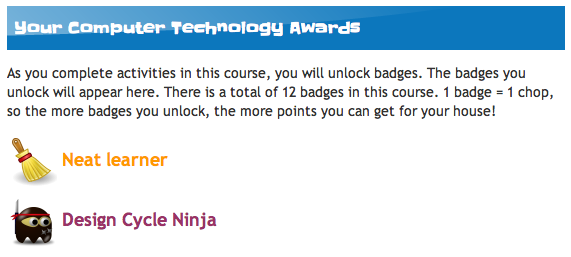
Most of the Moodle courses I have seen are full of extremely useful and meaningful information/activities. It is not always practical to ensure whether students have interacted with an activity or viewed a resource, as it can be very time consuming to check Moodle logs. Come ‘conditional activities’. In this post, I discuss ways to use this great feature to increase students’ engagement in your courses.

Whenever I am asked what do to make a Moodle site faster, I always end up talking about tweaking the server. Often I miss the point as a significant amount of Moodle sites are hosted on servers that cannot be tweaked (e.g. GoDaddy 4GH, etc.), or by educators who simply don’t know how to setup a server. In this post, I explore a few simple ideas to help speed up Moodle courses without fiddling with the server, most of which can be done by a teacher. I also find out that some settings make no difference whatsoever.
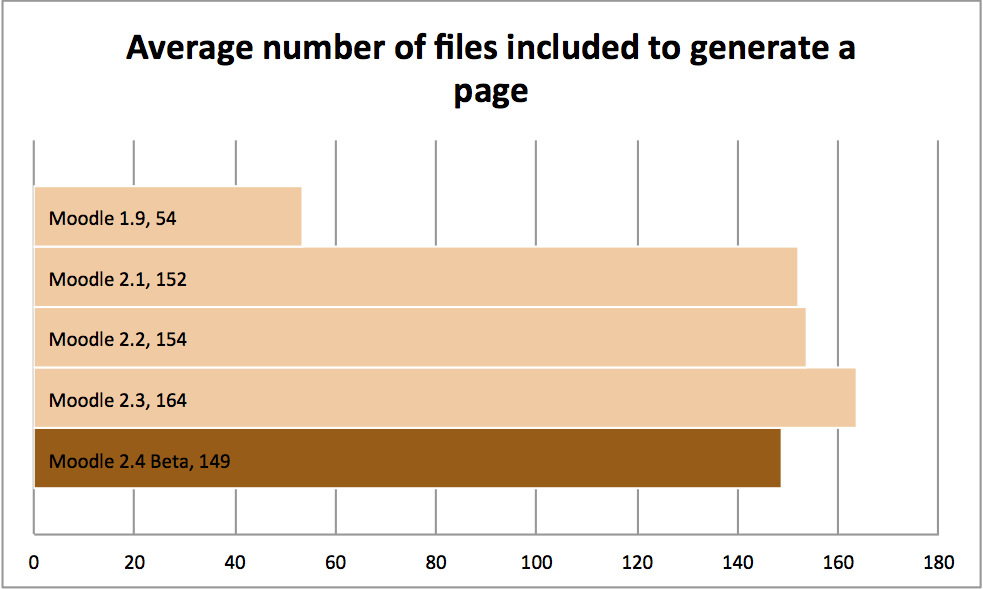
Moodle can be a bit of an ogre when it comes to system resources. In this post I look at just how hungry Moodle 2.4 is.

Moodle is the best VLE/LMS, but as with every other system there a few quirks that can be rather annoying. In this post I share quick and easy solutions to 5 annoying Moodle problems. Let me know in the comments if you want more posts like this.
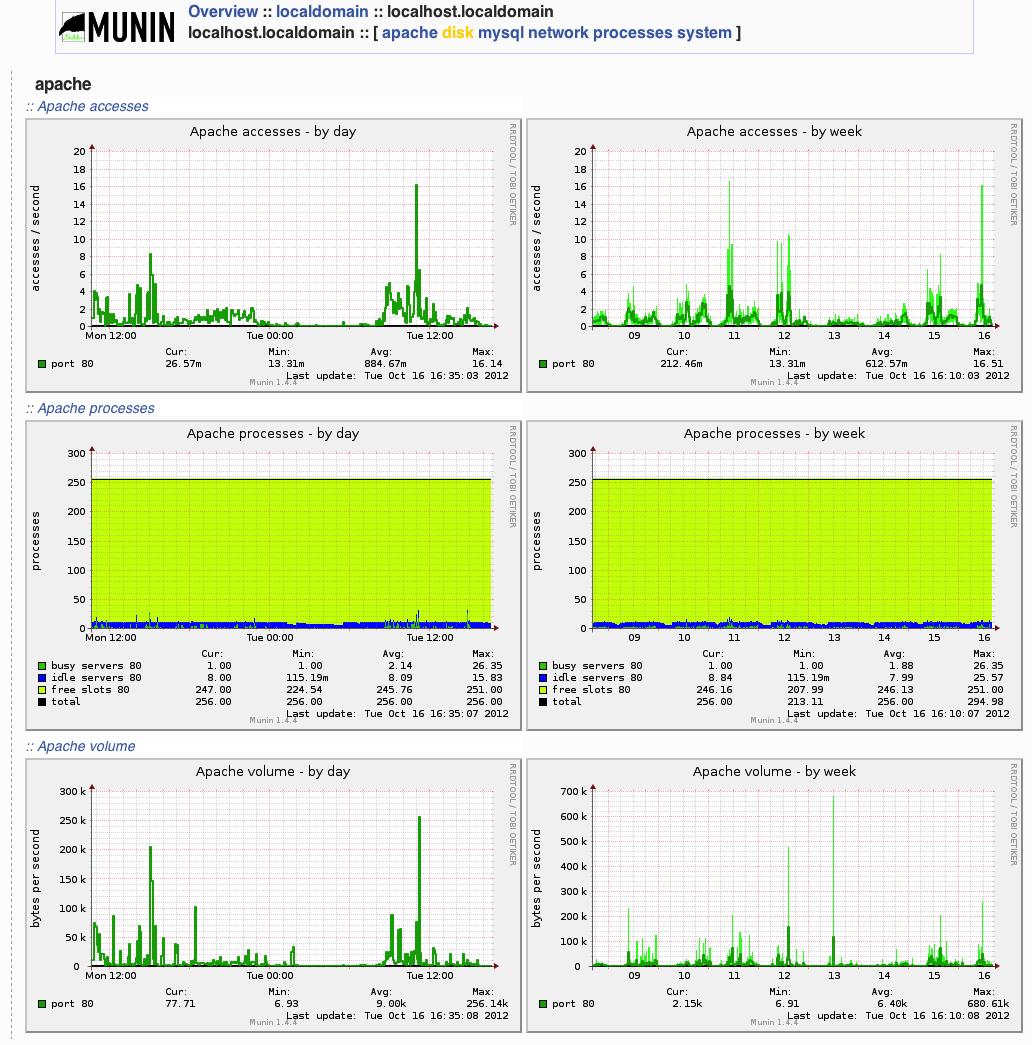
As part of Moodle Oktobertest I share 5 free tools you can use to monitor your Moodle server. The focus of this post is on load testing but these tools can be (and some should be) used as part of your normal monitoring.

It is not meant to be a definitive guide on how to use iMacros. Rather it is a quick introduction to get Moodle administrators started with iMacros.

This tutorial is aimed at Moodle administrators who have never used JMeter. It will help you get started but won’t teach you advanced techniques. Should you wish to dig further into this wonderful piece of open-source software, I invite you to read the following:
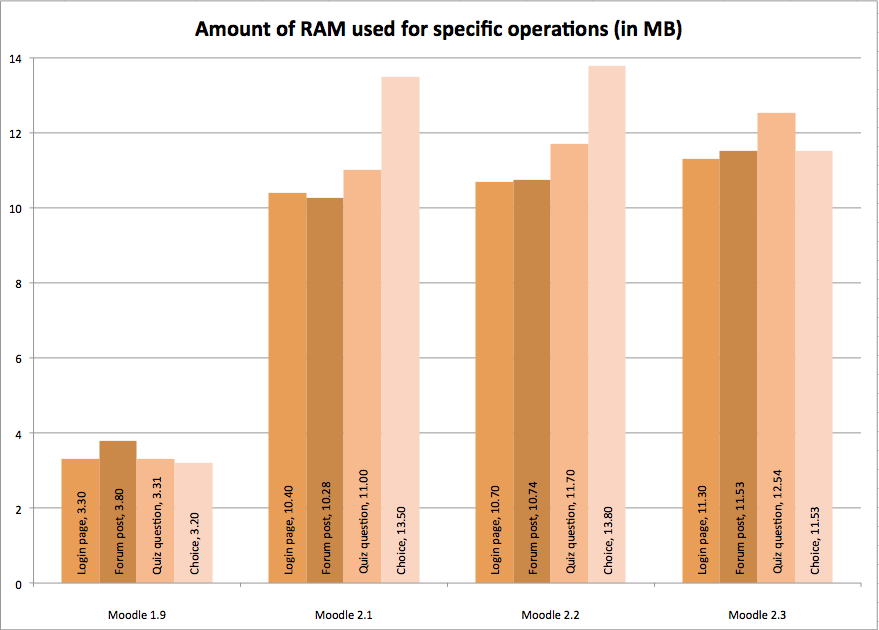
Moodle performance testing: how much more horsepower do each new versions of Moodle require?

Using this step by step ‘how-to’, you will be able to test how well your Moodle installation would be able to cope with a certain amount of users, using loadstorm.com. Whilst this is not a perfect representation of what real life usage of your Moodle installation would be like, it will still give you a __very__ good idea of whether your system is good enough to run Moodle for your expected number of users.

Moodle is becoming increasingly popular at my current school. While this is great, the server is starting to feel sluggish. I wanted to find out how much further I can take my current hardware and how much strain Moodle actually place on my server. This is why I have decided that October would be… Oktobertest for Moodle! Here are 3 ways that will help you find out if your server can cope with the demands you place/want to place on it.
After my session at the MoodleMoot Hong Kong last week I received a few messages asking me to share my slides. Rather than putting it on slideshare I thought I’d share them on my blog in the form of a video, adding the extra comments and corrections that I made post-presentation.
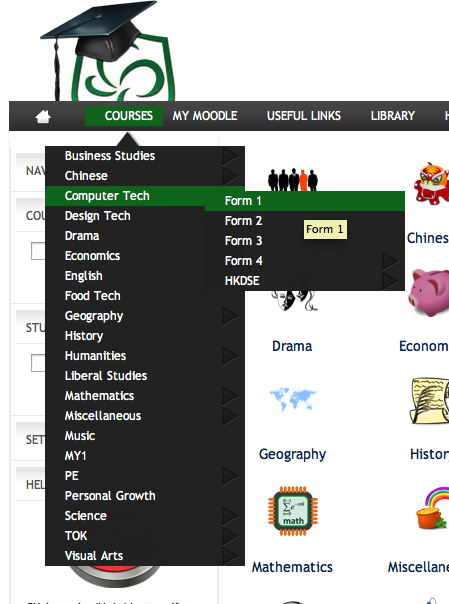
I love Moodle, there I’ve said it! This feeling is far from being shared by all, and I have quite a few colleagues who cannot stand the beast. Whilst some teachers do not like Moodle because they have an aversion to using technology altogether, there are also ‘technophile’ teachers who simply do not like Moodle for other reasons (interface, clunkiness, etc.). In this post aimed at Moodle admins/enthusiasts, I’ll share some tried and tested techniques (in no particular order) to get ‘them’ to use Moodle.
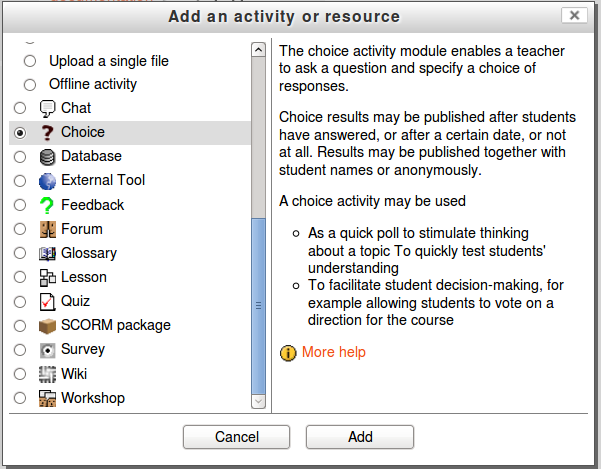
In this post I look at my top 5 new features in Moodle 2.3
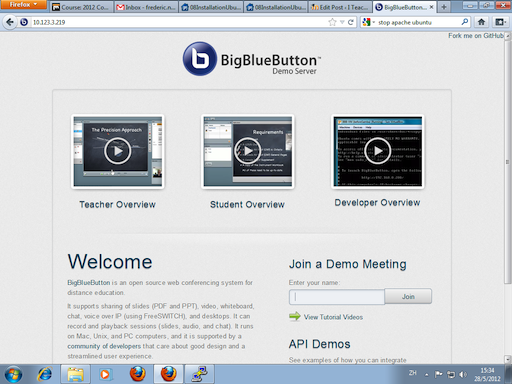
In this blog post I look back at some of the presentations that have taken place at this year's iMoot.

One of the most compelling arguments for using Moodle is that learning does not have to stop at the school gates. Over the years I have witnessed some excellent Moodle practice that engaged students in meaningful learning tasks at home. Whilst this is great, it can also have a negative effect – some students work too late into the night.
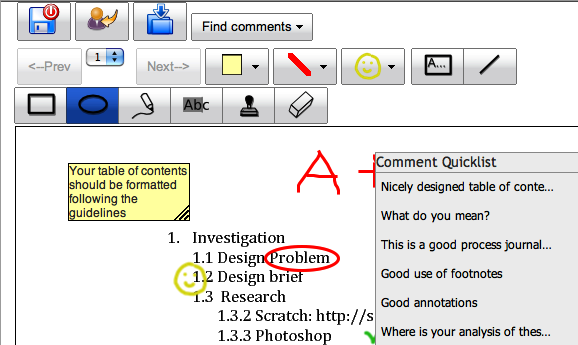
Quite a few teachers I know would rather mark work on paper rather than electronically, regardless whether it was done on the computer in the first place. “I cannot write useful comments on an electronic document” is their argument. Useful commenting on uploaded assignments is now possible thanks to the UploadPDF Moodle assignment type, all this right inside of Moodle. Read on, this might save you hours of marking time.

The ‘M’ in Moodle stands for ‘Modular’, or the ability for third-party developers to create their own blocks, modules, assignments, question types, etc. In this post, I look at my Top 10 Moodle third-party plugins
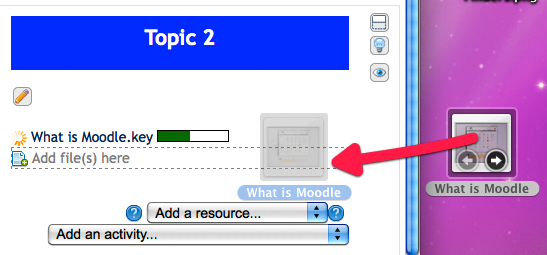
If I was given a penny every time a teacher tells me how frustrated they are with the ‘out-of-the-box’ Moodle 2 file management system, I would be quite a few dollars better off. Luckily some talented developers have created solutions to ease the pain.
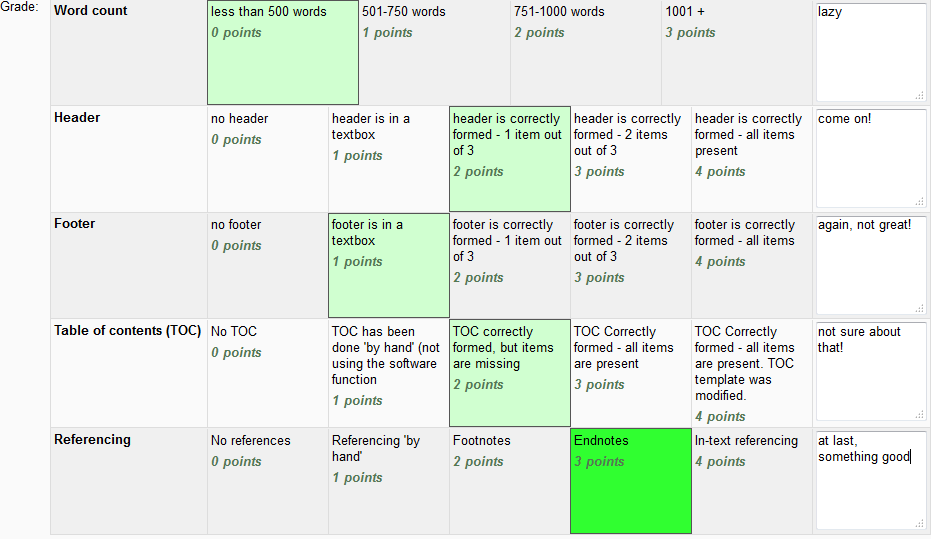
It seems that an increasing number of exam boards are going the way of criteria based assessment. Since the Moodle 2.2 upgrade, teachers now have the possibility to mark students’ work using criteria directly in Moodle (or rubrics as it is called in Moodle). Let’s take a look at how it can help us as teachers and whether it’s any good.
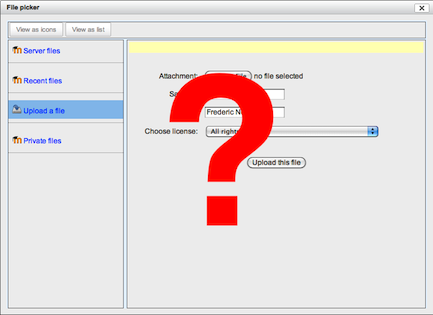
Moodle is such a useful tool for teaching & learning that I would not apply for a job at a school where it is not available. That said, Moodle can be difficult to learn at first and is sometimes cumbersome to use and has a few shortcomings.
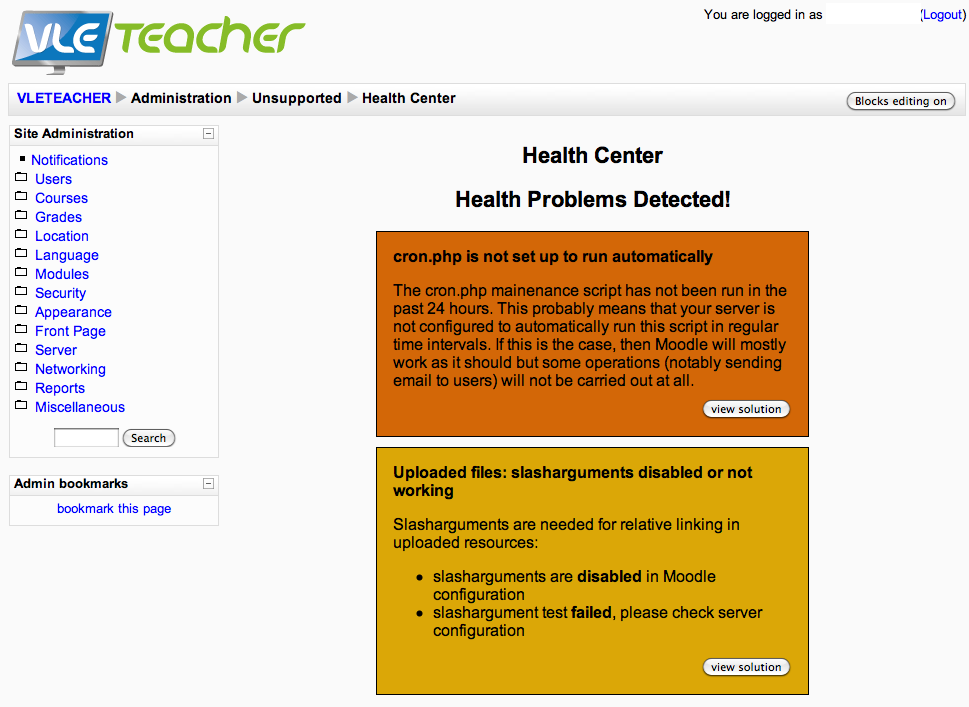
I have been trying to get Moodle 2 (and 2.1) working properly on a GoDaddy Linux server for the past week so far to no avail. This has seriously been winding me up and many times have I pictured myself throwing my computer out of the window. Considering my poor computer isn’t at fault, I decided it would be more constructive to share the tools I’ve used to help me solve my problem.

Today marks the first anniversary of the crackdown by the Thai army on the so-called ‘Red shirts’ who had besieged the city centre of Bangkok for over a month. The 19th May 2010 will stay engraved in my memory forever for obvious reasons, and less obvious ones. In this post, I look at how we used Moodle to keep school 'open' in a crisis.
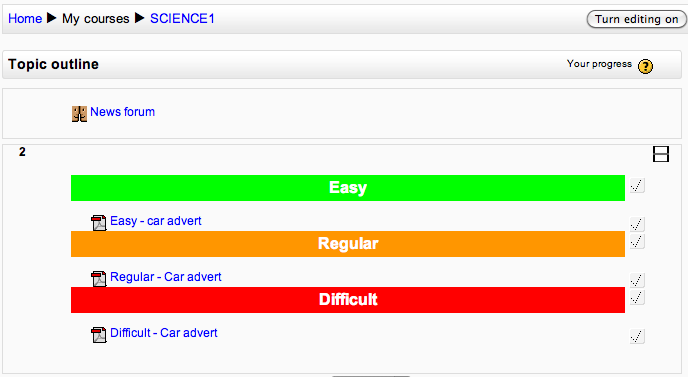
Working in a non selective school is rewarding but brings its fair share of interesting challenges. Catering for the individual learner needs is at the heart of most educational institutions. In this post I look at how using Moodle groups allows for differentiation.
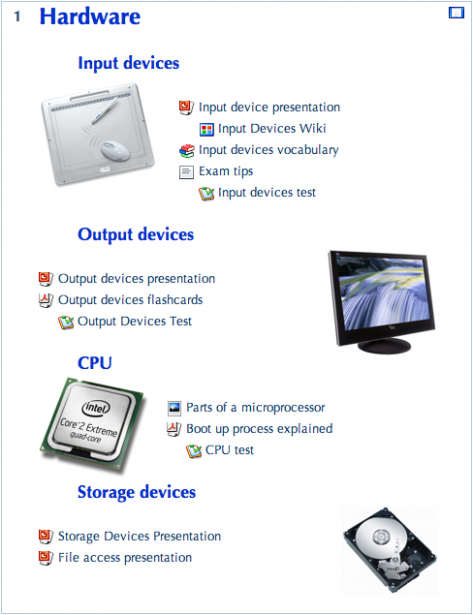
Improving the looks of your Moodle courses offers many advantages.
Generating fake data when testing a Moodle installation can be time consuming. Use this handy file to upload fake Moodle user data.
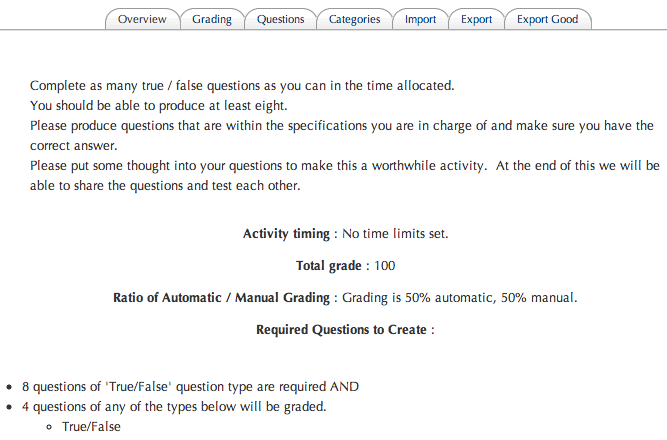
Let’s face it, creating question banks in Moodle can be very time consuming. This is the number one reason why few teachers use this fantastic facility at my current school. Yes there are tools that allow teachers to import/convert existing worksheets, tests, etc. but they are not usually aimed at the casual user and rarely work without tinkering with the worksheets first.
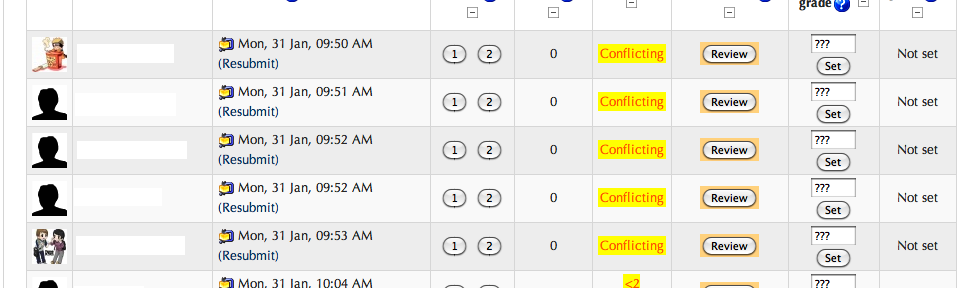
If used at the right time and with the right setup, peer assessment can be very powerful. Moodle has tools to help support quality peer assessment.
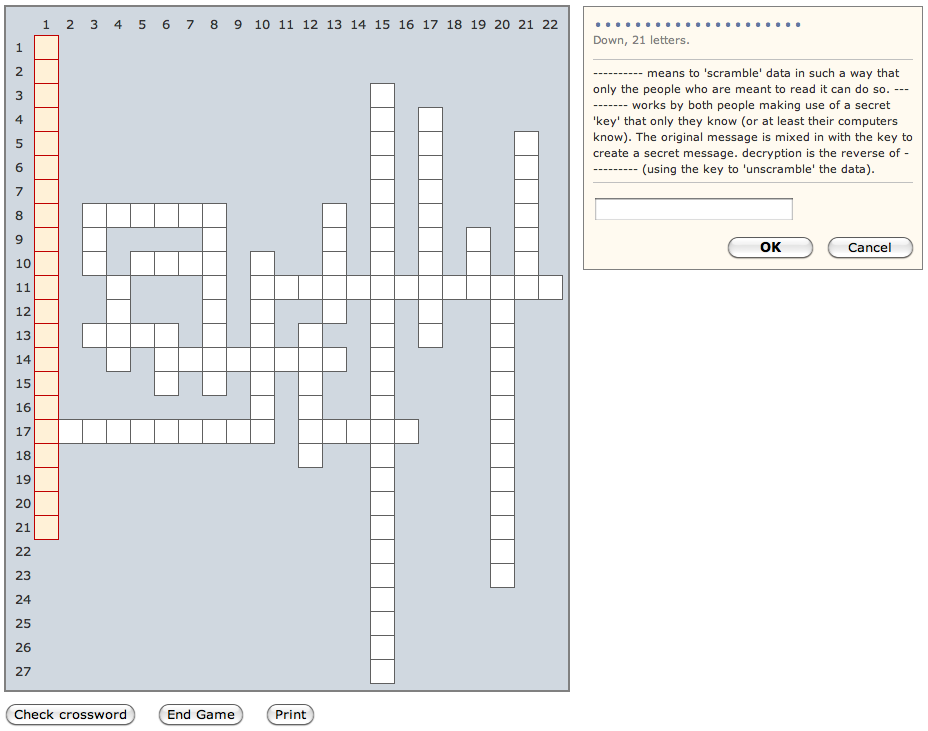
Moodle can sometimes be seen as being boring to use, especially when younger students are concerned. In this post, I look at a plugin that can help with this issue.
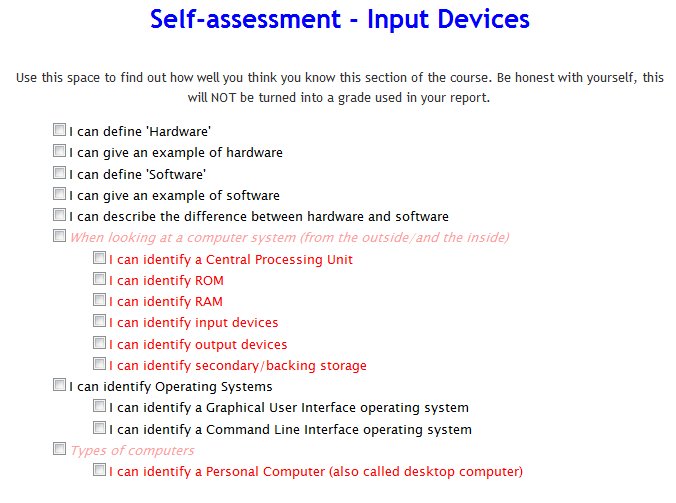
Formative assessment is a key element of good teaching & learning. Students should always know how well they have learnt a topic – what they know well, and what they could improve on. Allowing students time to self-assess is not always possible during lesson time and Moodle can be used to solve this issue, shifting some of the self-assessment for homework.
I conducted a survey with our students and teachers, to check the extent to which Moodle is useful, and to find which parts of it should be improved.
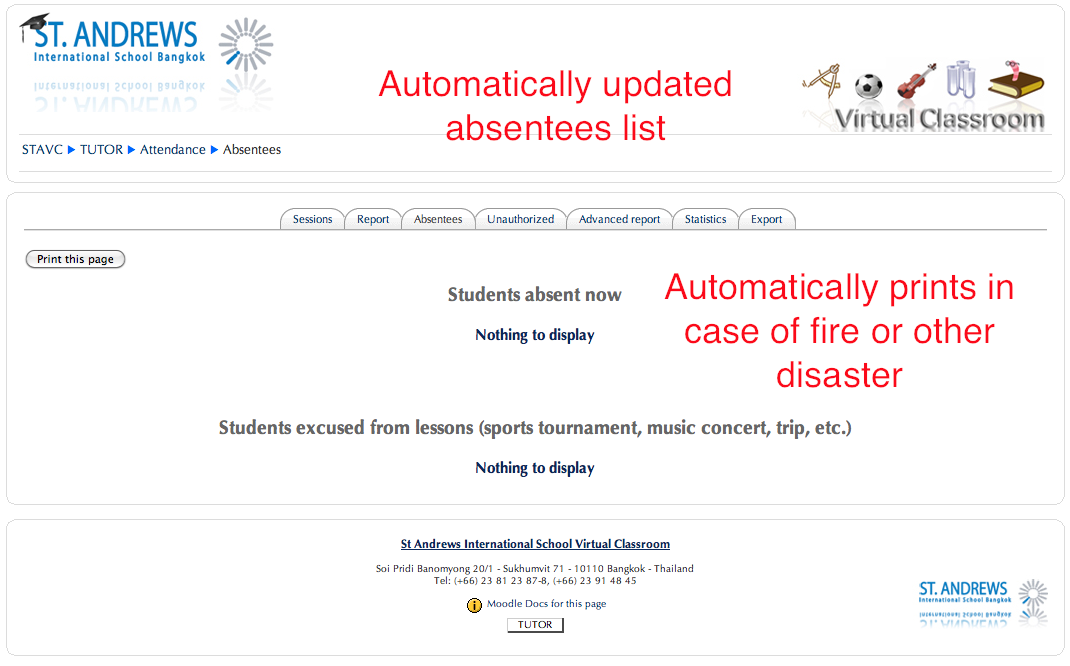
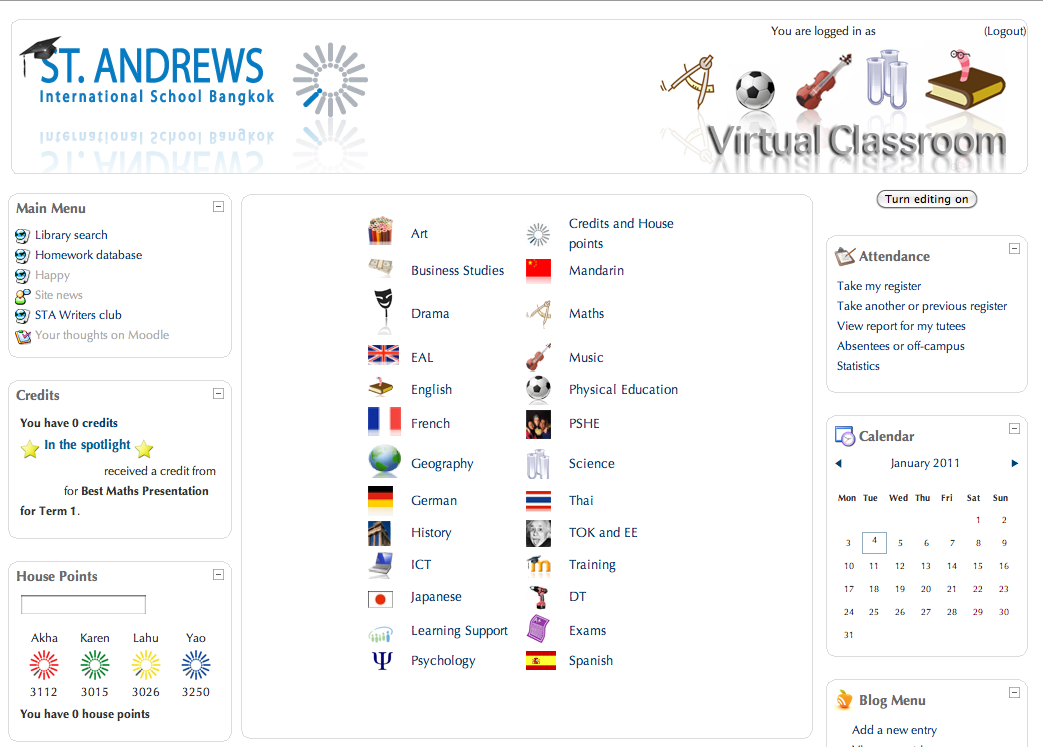
In this blog post, I present the modifications I have made to our Moodle installation. The customisations have really helped with different parts of school life.
This post deals with making Moodle more interesting and engaging for students, especially the younger ones.
In this post I show how a Microsoft plugin makes it possible to edit Office documents straight from Moodle.