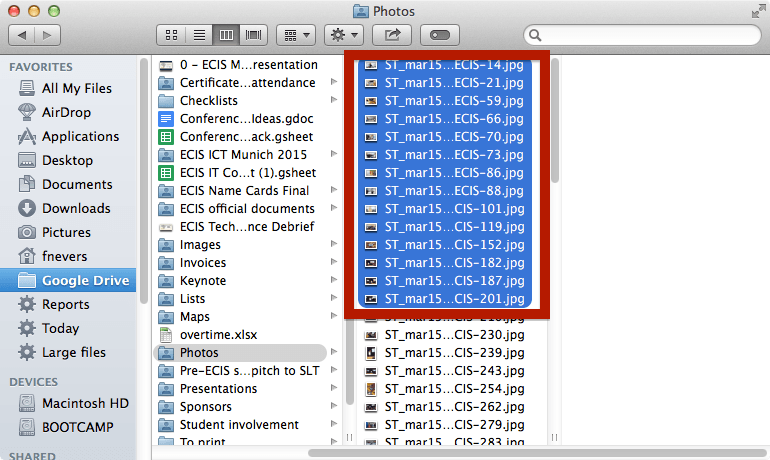
Step 1: Select photos in Finder
Step 2: Create a new Keynote document
Click here if you don’t remember how.
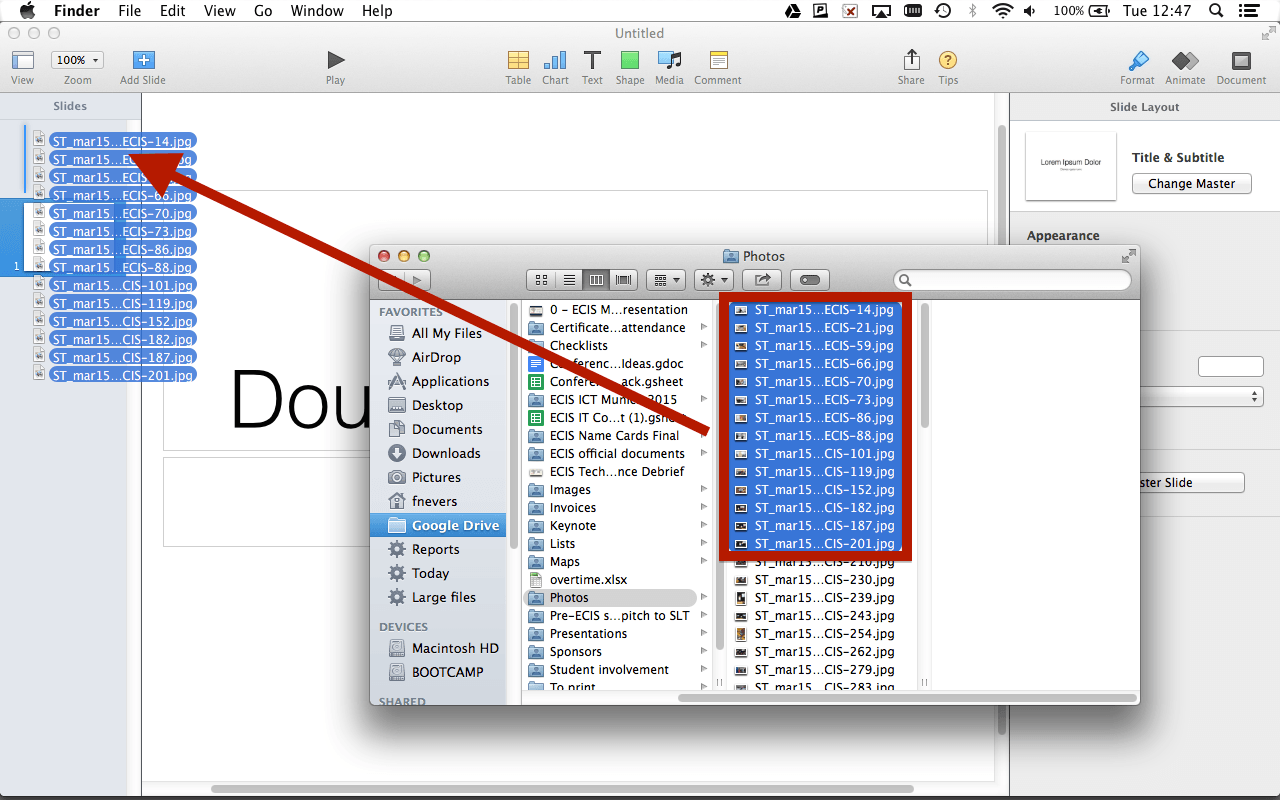
Step 3: Drag your photos on Keynote’s sidebar
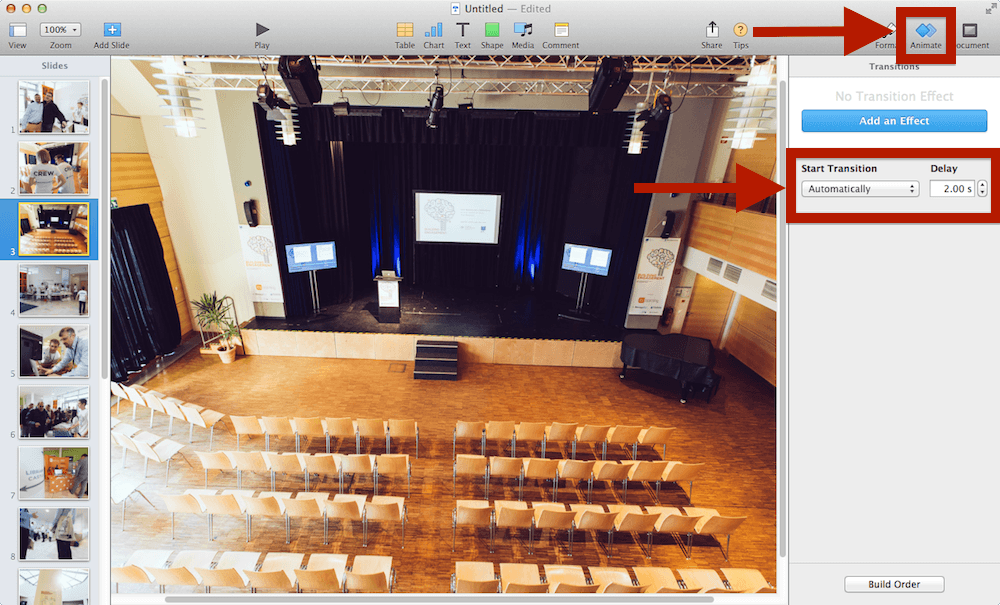
Step 4: Set your transition time
Step 5: There is no step 5. Press ‘Play’, you’re done!
Photo credit: WP_20140319_004 by Khedara ආරියරත්න 蒋龙 under CC-BY-SA